Creation demo

Watch a real app get built in 60 seconds.

Describe what you want. Elmony builds the screens and flows so you can launch faster.

Landing page demo

One prompt becomes a launch-ready landing page.

Watch Elmony turn one prompt into a launch-ready landing page.

Math game demo

Prototype playful ideas and logic fast.

See how fast you can prototype playful math games and logic with Elmony.

Publish demo

Launch projects in under a minute.

Go from prompt to live URL in about a minute. Elmony handles deploys, hosting.

App-building tools

Keep every part of the build in one place.

Preview every breakpoint, change elements with chat, import existing work, and choose the AI model that fits the task.
Responsive Preview Lab

Switch between desktop, tablet, and mobile previews without leaving the flow.

  • View live breakpoints side-by-side so nav, forms, and modals stay pixel-perfect across devices.
  • Flip between device frames instantly, capture snapshots for QA, and keep stakeholders aligned.
  • Ship responsive sites faster with one panel for every viewport—no extra tabs or plugins.
AI Selection & Swap

Pick any element in preview and swap it just by chatting with AI.

  • Click to highlight objects in the live preview—hero images, buttons, sections, or icons.
  • Describe the change you want and Elmony replaces it instantly while keeping layout and spacing intact.
  • Iterate fast on copy, visuals, and components without diving into code; approve changes in-line.
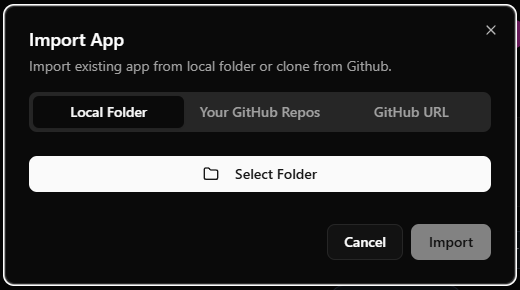
Import Any Project

Bring in existing apps from a local folder or any GitHub repository.

  • Import projects from your machine to iterate without starting from scratch.
  • Clone from GitHub and keep working with familiar files and structure.
  • Great for revamps, quick audits, and deep edits inside Elmony.
Import app dialog showing local folder and GitHub options
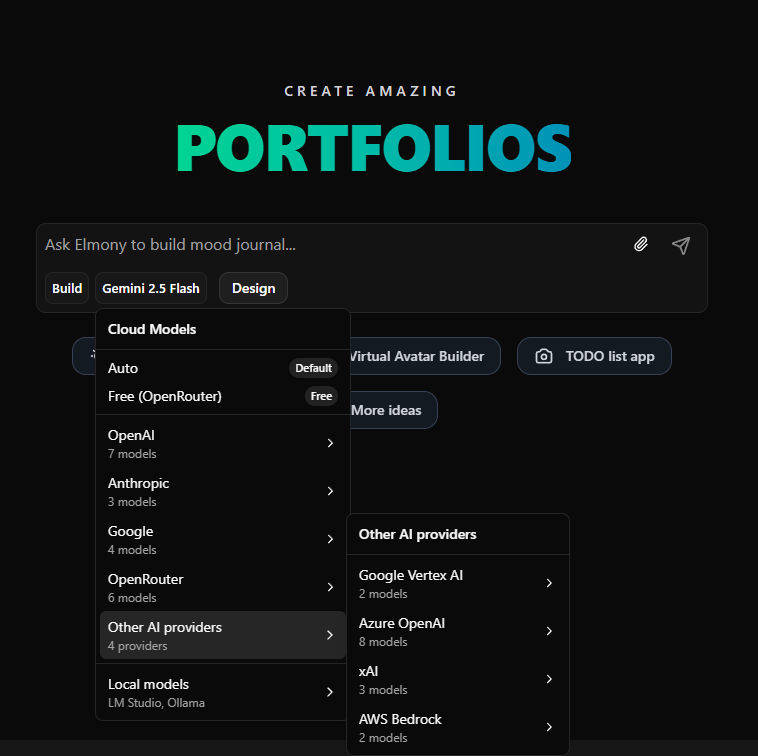
Free AI Generation

Start building for free, then scale up when you want premium performance.

  • Use free OpenRouter models for everyday prompts, ideation, and fast first drafts.
  • Generate with Google Gemini 2.5 Flash free tier to move quickly without spending upfront.
  • Run local models on your own PC for private, device-powered generation with no cloud fees.
  • When your workload grows, switch to premium models for higher quality, faster responses, and bigger output limits.
Free and premium AI model options including OpenRouter, Gemini, and local model support
Image tools

Want to see Elmony's AI image tools?

Explore image creation, mockups, background editing, logos, inpainting, and the full image editor.

Ultimate AI Image Creator

Image creation is as simple as typing a few words.

Effortlessly produce exquisite, professional-grade visuals from vibrant prompts to elevate your marketing, social posts, and presentations.
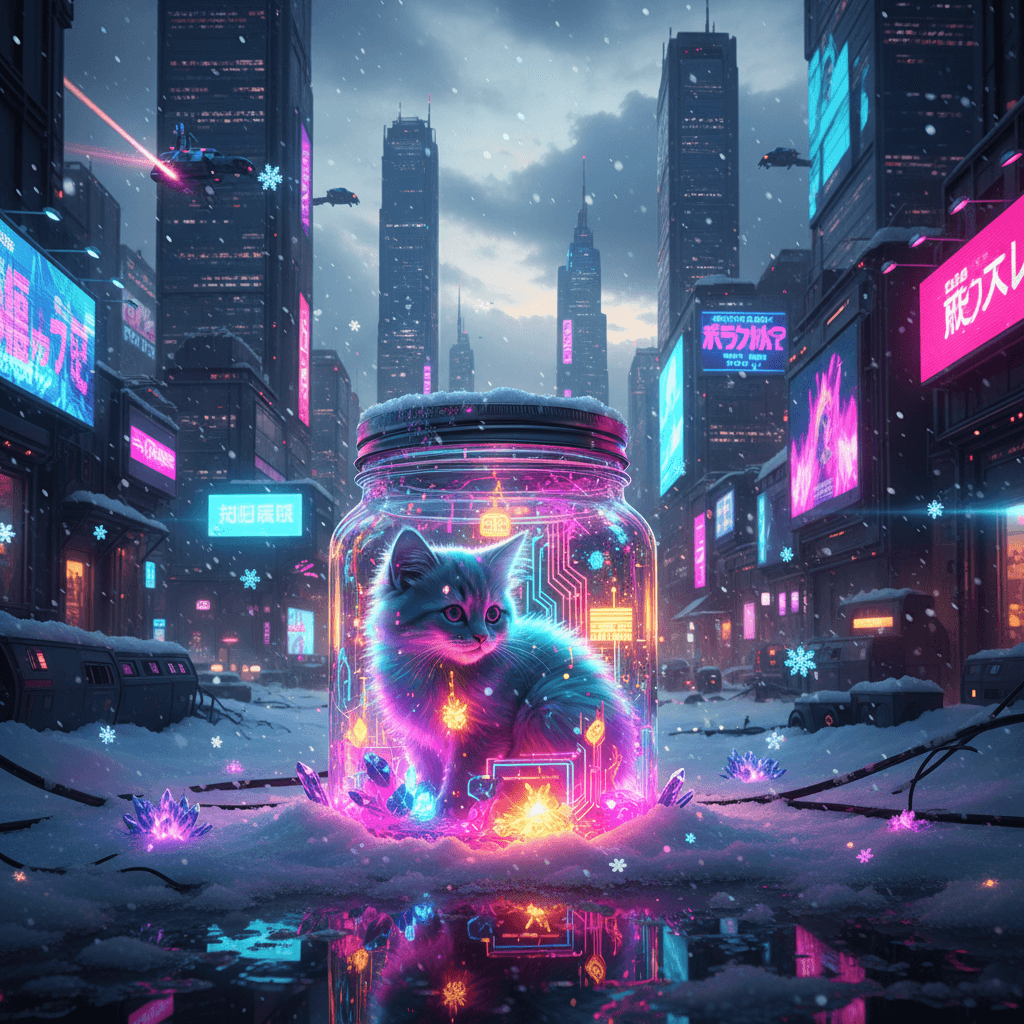
Cyberpunk kitty glowing inside a jar with neon snow and city lights
Prompt

Small kitty in a magical jar in winter snow, colorful, Cyberpunk style
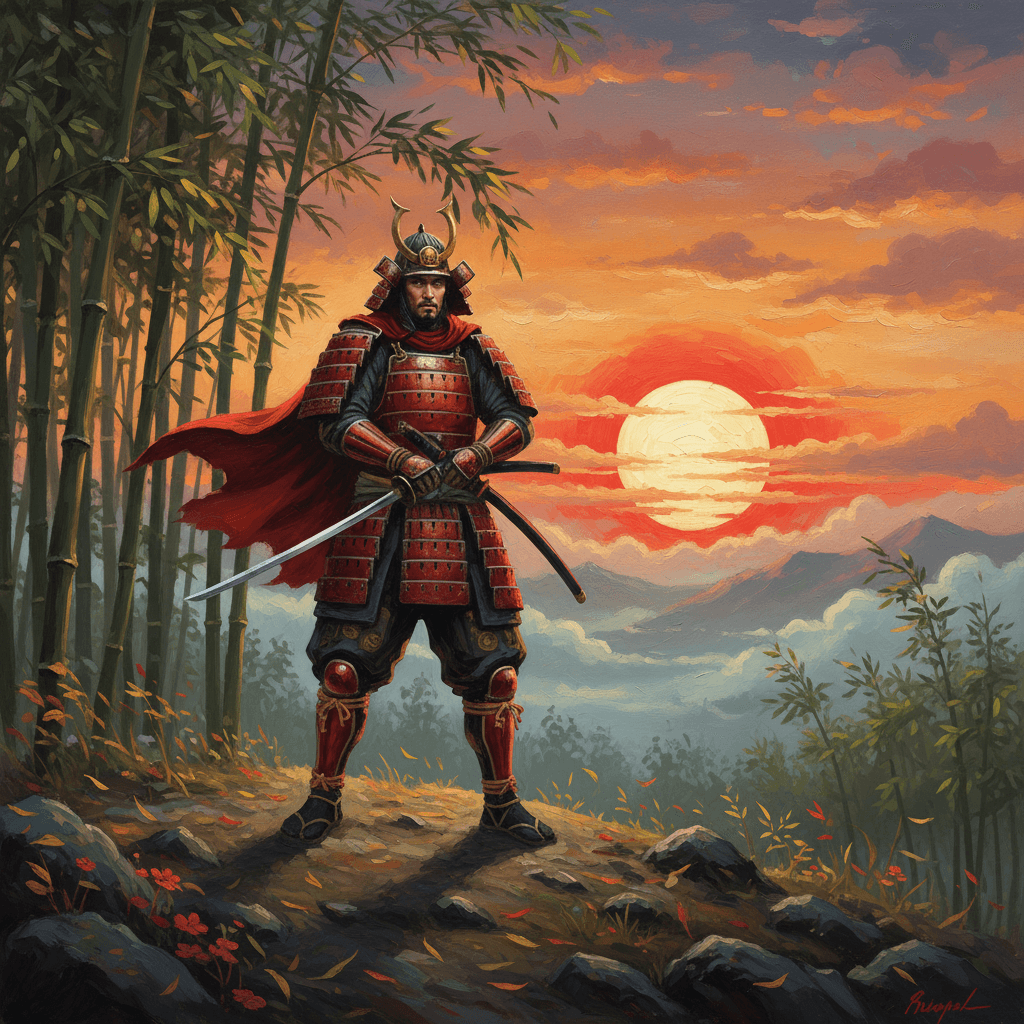
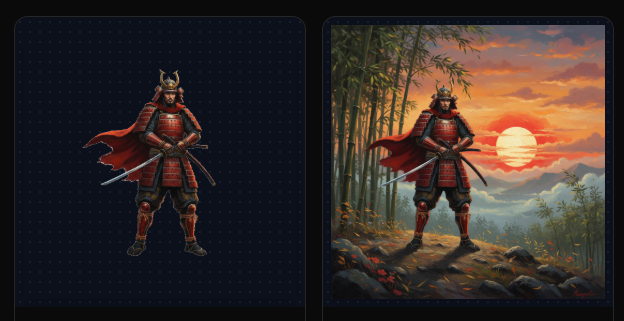
Japanese warrior with a bamboo forest and red rising sun in an oil painting style
Prompt

A powerful Japanese warrior standing on a hill, surrounded by a bamboo forest, with a red rising sun in the background, illustration, Oil Painting style
AI Product Mockup Creator

Spin up polished product mockups from your brand ideas—ready to share or ship.

  • Create eye-catching mockups for logos, graphics, and UI screens from a single prompt.
  • Preview your art on totes, tees, mugs, packaging, or gadgets in moments.
  • Built for ecommerce teams, marketers, and designers—ditch costly shoots while keeping a pro finish.
AI Product Photographer

Showcase products in studio-quality scenes without a camera crew.

  • Drop in a prompt and generate lifelike product shots across kitchens, living rooms, or outdoor backdrops.
  • Swap settings and moods instantly so your brand fits any campaign or channel.
  • Great for ecommerce, social posts, and marketing collateral—keep your catalog fresh with zero photoshoots.
Virtual Model Creator

Place your designs on realistic models—no studio booking required.

  • Drop a prompt and let the AI pose male or female models while matching fabric drape, lighting, and texture.
  • Preview outfits in polished scenes that feel photo-ready for your store, ads, or lookbooks.
  • Launch new products faster on Amazon, Etsy, or your own shop—cut costs and keep visuals on-brand.
Instant Scene Background Editor

Swap dull backdrops for cinematic settings in a few clicks.

  • Keep the subject you love and instantly drop it into beaches, skylines, or cozy interiors.
  • Lighting, shadows, and reflections auto-adjust so composites look like they were shot together.
  • Ship professional visuals for product pages, ads, and socials without reshoots or studio time.
AI Background Remover & Editor

Point. Click. Customize. Remove backgrounds and re-stage in seconds.

  • Isolate the hero subject and drop it onto transparent or curated scenes with full automation.
  • Swap backgrounds instantly while keeping clean edges, accurate lighting, and natural shadows.
  • Export in high quality for storefronts, print-on-demand, marketing, or social campaigns.
Background removal interface showing subject extraction and custom backgrounds
AI Logo Maker

Generate brand-ready logos from quick prompts—no expensive design rounds.

  • Draft logo ideas in seconds, then refine colors, layouts, and marks as much as you like.
  • Perfect for personal brands or commercial launches; export variations ready for web, print, or motion.
  • Skip back-and-forth with agencies—ship polished logos with AI precision and endless edits.
AI Inpainting Technology

Edit or replace anything in your image with a single prompt.

  • Mask an object and swap it for anything—new props, colors, hairstyles, or backgrounds.
  • AI respects lighting and texture so changes blend naturally without manual retouching.
  • Refresh photos, iterate on concepts, or fix mistakes in seconds—no extra shoots required.
Smart Image Expander

Widen your shots and let AI fill the edges with on-brand detail.

  • Extend portraits, products, or hero banners to new aspect ratios without losing quality.
  • AI matches lighting, textures, and depth so the new canvas blends seamlessly into the original.
  • Great for social crops, hero headers, and print layouts—expand first, tweak copy later.
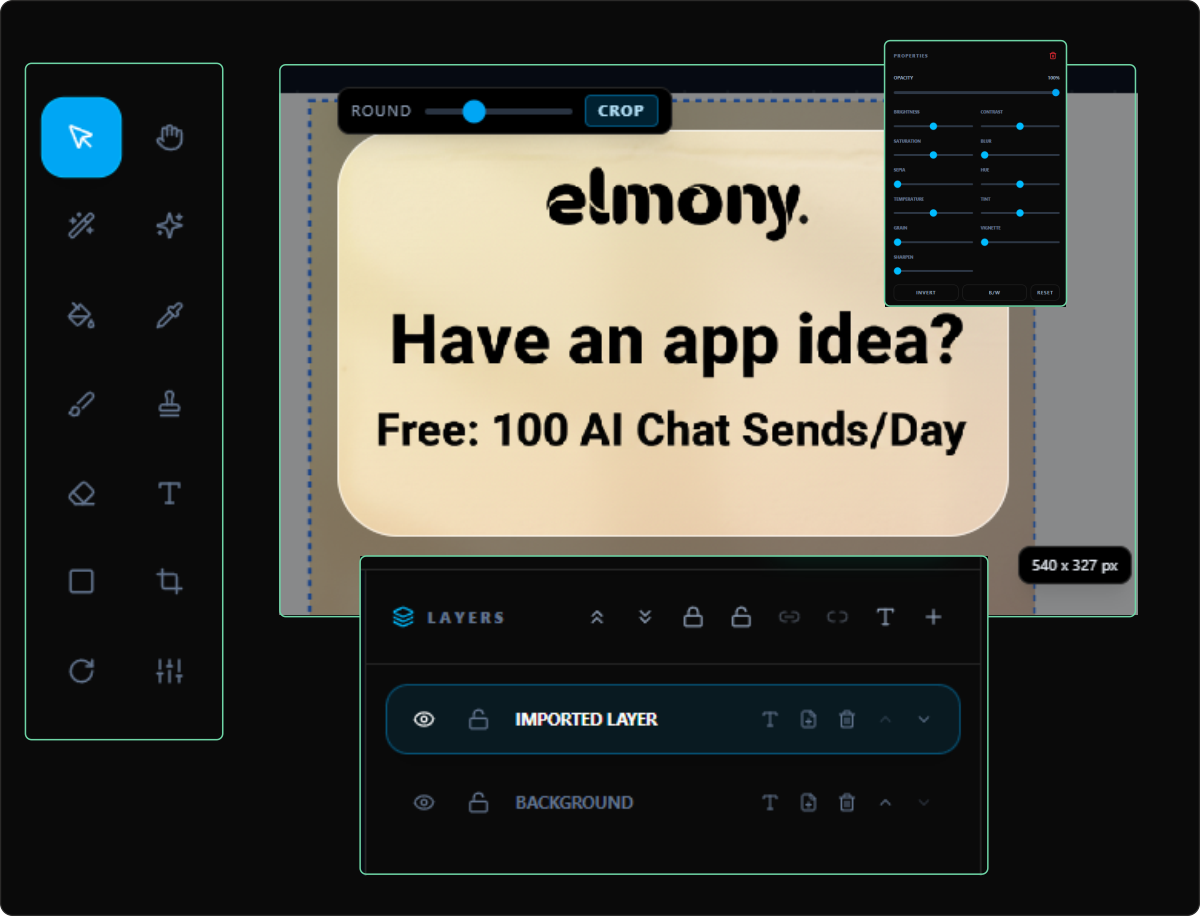
Image Editor

Crop, rotate, add text, and replace parts instantly with AI tools.

  • Resize and crop for any layout without losing important details.
  • Paint over areas to regenerate or remove elements in seconds.
  • Add typography, stickers, and overlays to finish the visual fast.
Image editor interface with crop, rotate, and AI edit tools
Build a business

Skyrocket your earnings & slash your expenses with Elmony.

Online Courses

Teach AI image and code creation inside your workshops for designers and builders.

Stock Photography

Sell AI-crafted visuals on marketplaces or bundle them for clients.
Print-on-Demand

Publish art to tees, mugs, posters, and merch with print partners.

Digital Art Marketplace

Offer AI-generated pieces on Etsy or collector platforms.

Social Media Management

Boost engagement with fast-turn visuals for every channel.

Freelance Graphic Design

Deliver distinctive, cost-effective AI branding to clients.

Website Development

Use AI visuals and code to ship beautiful, responsive sites.

Other product

Explore another Elmony product.

Switch between Vibecode and Upscale anytime. Click the other product to open its page.

Elmony Vibecode
Elmony VibecodeCurrent product
Elmony Upscale
Elmony UpscaleOpen product →
🔥 Ready to build?

Start Shipping With AI Today